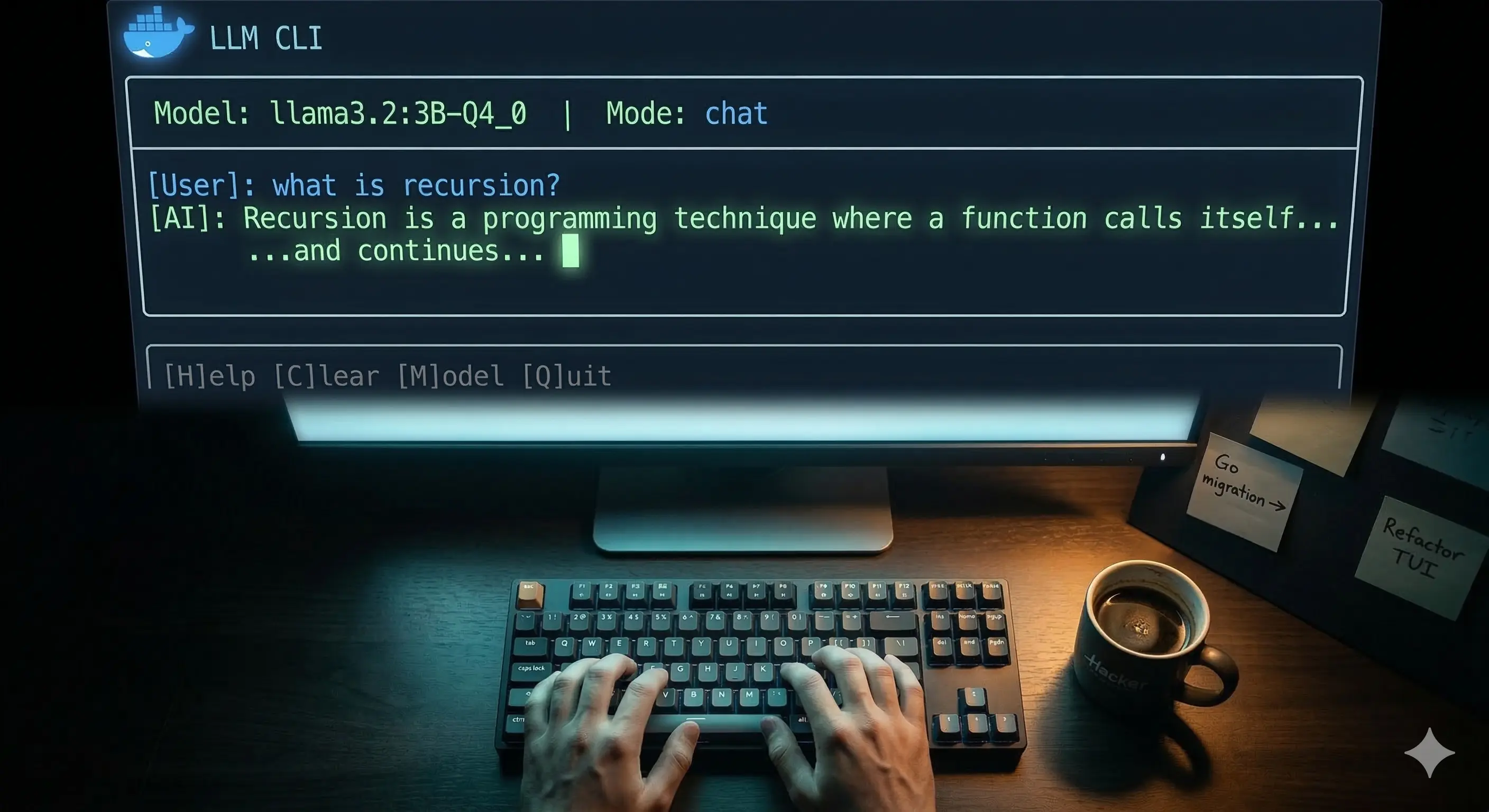
I Built a Terminal AI Chat App Using Docker — No API Keys, No Cloud
I Built a Terminal AI Chat App Using Docker — No API Keys, No Cloud
Using Docker Model Runner (DMR) | Part 3: Building the CLI Tool
By Mayur · B.Tech CSE, 6th Semester
Series: Local AI with Docker Model Runner
In Part 1, we set up Docker Model Runner and understood the core concepts.
In Part 2, we wrote TypeScript scripts that talk to a local AI via REST API.
Now in Part 3 — we build the real thing.
A single binary called llm that you type in your terminal and get a full AI chat experience. No browser. No API key. No subscription. Just you, your terminal, and a local model running on your own machine.
This is the project I'll be migrating to Go next — but first, let's build it properly in TypeScript.
What We're Building
llm "what is a closure?"                     # quick one-shot answer
llm --chat                                   # full interactive session
llm --mode code "write a binary search"      # switch AI personality
llm --model smollm2 "hello"                  # pick a specific model
llm --models                                 # list what you have locally
llm --history                                # view past conversations
Features under the hood:
- Streaming responses — words appear live as the model generates them
- Conversation memory — AI remembers everything in the current session
- Auto model detection — pulls the model automatically if it's missing
- Preset modes — different temperature and system prompts per mode
- Conversation history — every session saved to
~/.llm/history/ - Plain English errors — non-developers should never see a stack trace
- Single binary — compile once, run anywhere
Architecture
Before writing a single line, I designed this in three layers:
┌──────────────────────────────────────┐
│           PRESENTATION               │
│  CLI args • TUI panels • Spinner     │
│  Colors • Error messages             │
├──────────────────────────────────────┤
│             BUSINESS                 │
│  Conversation memory • Presets       │
│  History • Chat loop                 │
├──────────────────────────────────────┤
│               DATA                   │
│  DMR client • Model management       │
│  Streaming • REST API calls          │
└──────────────────────────────────────┘
And the folder structure follows this exactly:
llm-cli/
├── src/
│   ├── index.ts          ← entry point
│   ├── cli/
│   │   └── args.ts       ← CLI argument parsing
│   ├── ui/
│   │   ├── tui.ts        ← all visual output
│   │   ├── spinner.ts    ← thinking animation
│   │   └── colors.ts     ← color constants
│   ├── core/
│   │   ├── chat.ts       ← main chat loop
│   │   ├── memory.ts     ← conversation history in RAM
│   │   ├── presets.ts    ← mode configurations
│   │   └── history.ts    ← save/load to disk
│   ├── dmr/
│   │   ├── client.ts     ← OpenAI SDK → localhost
│   │   ├── models.ts     ← list, check, pull models
│   │   └── stream.ts     ← streaming response handler
│   └── utils/
│       ├── config.ts     ← all defaults in one place
│       └── errors.ts     ← plain English error messages
One rule I followed strictly: no file does two jobs. tui.ts only draws things. memory.ts only manages messages. stream.ts only handles streaming. This makes every piece independently testable and easy to understand.
The Foundation — Config + Errors First
Before any AI code, I built two files that everything else imports from.
src/utils/config.ts is the single source of truth:
export const config = {
  DMR_BASE_URL:    "http://localhost:12434",
  DMR_ENGINES_URL: "http://localhost:12434/engines/v1",
  DEFAULT_MODEL:   "ai/llama3.2:3B-Q4_0",
  HISTORY_DIR:     `${process.env.HOME}/.llm/history`,
  MAX_TOKENS:      1024,
  CONTEXT_SIZE:    8192,
} as const;
Change a value here — it reflects everywhere. No hunting through files for hardcoded strings.
src/utils/errors.ts maps every technical error to something a human can understand:
export const Errors = {
  DMR_NOT_RUNNING: new LLMError(
    "❌  AI engine is not running.",
    "💡  Fix: Make sure Docker is running, then try again."
  ),
  OUT_OF_MEMORY: new LLMError(
    "❌  Not enough memory to run this model.",
    "💡  Fix: Try a smaller model like ai/smollm2"
  ),
  // ... and so on for every known failure
};
Nobody should ever see ECONNREFUSED or a Node.js stack trace. If something breaks, the user gets a clear message and a specific fix.
The DMR Layer — Talking to Your Local Model
The DMR client is just the OpenAI SDK pointed at localhost:
// src/dmr/client.ts
import OpenAI from "openai";
import { config } from "../utils/config.ts";

export const client = new OpenAI({
  baseURL: config.DMR_ENGINES_URL,
  apiKey: "not-needed",   // DMR ignores this
});

export async function isDMRRunning(): Promise<boolean> {
  try {
    const res = await fetch(`${config.DMR_BASE_URL}/models`);
    return res.ok;
  } catch {
    return false;
  }
}
The model management layer uses DMR's native endpoints — not the OpenAI SDK:
// src/dmr/models.ts

// Check if model exists locally
export async function modelExists(modelName: string): Promise<boolean> {
  const [namespace, name] = modelName.split("/");
  const res = await fetch(`${config.DMR_BASE_URL}/models/${namespace}/${name}`);
  return res.ok;
}

// Smart ensure — check first, pull if missing
export async function ensureModel(modelName: string): Promise<boolean> {
  const exists = await modelExists(modelName);
  if (exists) return true;

  console.log(`⬇️  Downloading "${modelName}"... (first time only)`);
  return await pullModel(modelName);
}
This is what makes the CLI feel polished. You type llm "hello" — if the model isn't downloaded yet, it downloads it automatically, then answers. No error. No manual step. It just works.
The Streaming Layer
This is what makes responses feel live instead of waiting for a wall of text:
// src/dmr/stream.ts
export async function streamResponse(options: StreamOptions): Promise<string> {
  const stream = await client.chat.completions.create({
    model:       options.model,
    messages:    options.messages,
    stream:      true,
    temperature: options.temperature ?? 0.7,
    max_tokens:  options.max_tokens  ?? 1024,
  });

  let fullReply = "";

  for await (const chunk of stream) {
    const word = chunk.choices[0]?.delta?.content ?? "";
    if (word) {
      options.onWord(word);   // caller decides how to display it
      fullReply += word;
    }
  }

  options.onDone();
  return fullReply;
}
The onWord callback is the key design decision here. The stream module doesn't know or care how words get displayed — it just delivers them. The UI layer decides the color, formatting, and where they appear. Clean separation.
The Core — Memory, Presets, History
Memory
The model has no memory between requests. This is a hard fact about how LLMs work. Every API call is stateless. So the memory module manages a messages[] array that grows with each exchange:
// src/core/memory.ts
export class ConversationMemory {
  private messages: Message[] = [];

  constructor(preset: Preset) {
    // System prompt always lives at index 0
    this.messages.push({ role: "system", content: preset.systemPrompt });
  }

  addUser(content: string): void {
    this.messages.push({ role: "user", content });
  }

  addAssistant(content: string): void {
    this.messages.push({ role: "assistant", content });
  }

  getMessages(): Message[] {
    return this.messages;   // send the whole thing every time
  }
}
Every API call sends the full messages[] array. The model "remembers" because you're giving it the entire conversation every time.
Presets
Three modes with different personalities:
// src/core/presets.ts
export const presets = {
  chat: {
    systemPrompt: "You are a helpful, friendly assistant...",
    temperature:  0.7,    // balanced
    max_tokens:   1024,
  },
  code: {
    systemPrompt: "You are an expert software engineer...",
    temperature:  0.1,    // deterministic — correct code every time
    max_tokens:   2048,
  },
  creative: {
    systemPrompt: "You are a creative writer and storyteller...",
    temperature:  1.2,    // unpredictable — unexpected ideas
    max_tokens:   2048,
  },
};
Switch mid-conversation with /mode code. The system prompt updates at index 0 of the messages array and the new personality kicks in immediately.
History
Every session saves to ~/.llm/history/YYYY-MM-DD.json:
{
  "date": "2026-03-15",
  "sessions": [
    {
      "id": "abc123",
      "startedAt": "14:32:01",
      "model": "ai/llama3.2:3B-Q4_0",
      "mode": "chat",
      "messages": [
        { "role": "user",      "content": "what is recursion?" },
        { "role": "assistant", "content": "Recursion is when..." }
      ]
    }
  ]
}
On /exit, the session auto-saves. You can also /save mid-conversation. /history shows the last 3 days grouped by date.
The UI Layer
All visual output lives in src/ui/tui.ts. No other file calls console.log for display purposes. This matters because when you eventually want to change how something looks, you change one file.
The welcome banner on startup:
────────────────────────────────────────────────────────────
  🐳 LLM CLI  v1.0.0
────────────────────────────────────────────────────────────
  Model   ai/llama3.2:3B-Q4_0
  Mode    💬 chat
────────────────────────────────────────────────────────────
  /exit quit   /clear new session   /mode switch mode
  /models list models   /save save history   /help commands
────────────────────────────────────────────────────────────

  You › █
User messages in soft blue. AI responses in soft green. System messages in grey. The spinner appears while waiting for the first token, then disappears the moment streaming starts.
Wiring It All Together — index.ts
The entry point is clean because every piece does its own job:
// src/index.ts
async function main(): Promise<void> {
  const args = parseArgs();

  // 1. Is DMR running? Exit cleanly if not
  await requireDMR();

  // 2. Handle flag-only modes
  if (args.mode === "models") {
    printModelsList(await listModels());
    process.exit(0);
  }

  // 3. Ensure model exists (auto-pull if missing)
  const ready = await ensureModel(args.model);
  if (!ready) process.exit(1);

  // 4. Route to correct mode
  if (args.mode === "oneshot" && args.query) {
    await runOneShot(args);
    process.exit(0);
  }

  await startChatLoop(args.model, args.preset);
}
28 lines. Reads like plain English. That's the goal.
Building the Binary
# Install dependencies
bun add openai chalk ora commander

# Build single binary
bun build src/index.ts --compile --outfile bin/llm

# Install globally
sudo cp bin/llm /usr/local/bin/llm
From this point, llm works from anywhere in your terminal. No Node. No Bun. No runtime. Just the binary.
What It Looks Like in Practice
# Quick question
$ llm "explain async/await in one paragraph"

  🐳 llm  •  ai/llama3.2:3B-Q4_0

  AI   ────────────────────────────────────────
  Async/await is syntactic sugar over Promises
  that lets you write asynchronous code that
  reads like synchronous code...

# Code mode
$ llm --mode code "write a debounce function in TypeScript"

# Interactive session
$ llm --chat
# → full TUI, /mode, /clear, /save, /history all work
What I Learned Building This
Design before code pays off. I spent time drawing the architecture before writing anything. Every module ended up doing exactly one thing, which made debugging trivial — if streaming broke, I looked in stream.ts. If memory was wrong, I looked in memory.ts. Nowhere else.
Error messages are a feature. A non-developer using this tool should never see a stack trace. Every known failure has a specific, actionable message. This took maybe 30 minutes to build and makes the tool feel 10x more polished.
The OpenAI SDK is just an HTTP client. Pointing it at localhost:12434 instead of api.openai.com worked with literally three lines changed. That's the power of open standards — your local model speaks the same language as the cloud one.
What's Next — Go Migration
This TypeScript version works great. But there's a reason Go is the language of choice for CLI tools — kubectl, docker, gh, hugo are all Go.
Go compiles to a truly static binary with zero dependencies. No Bun runtime, no Node, nothing. Copy the file, run it. On any Linux machine. That's the goal.
In the next series, I'll rebuild this exact tool in Go — same features, same architecture, same commands. You'll see how the design translates, what Go does better, and what TypeScript does better.
The TypeScript version was the right place to start. Fast iteration, great SDK support, easy to debug. Now that the design is proven, Go is the right place to take it further.
The full source code for this project will be available on GitHub
Tags: typescript docker cli llm local-ai bun terminal tui open-source buildInPublic